Taxes incluses.
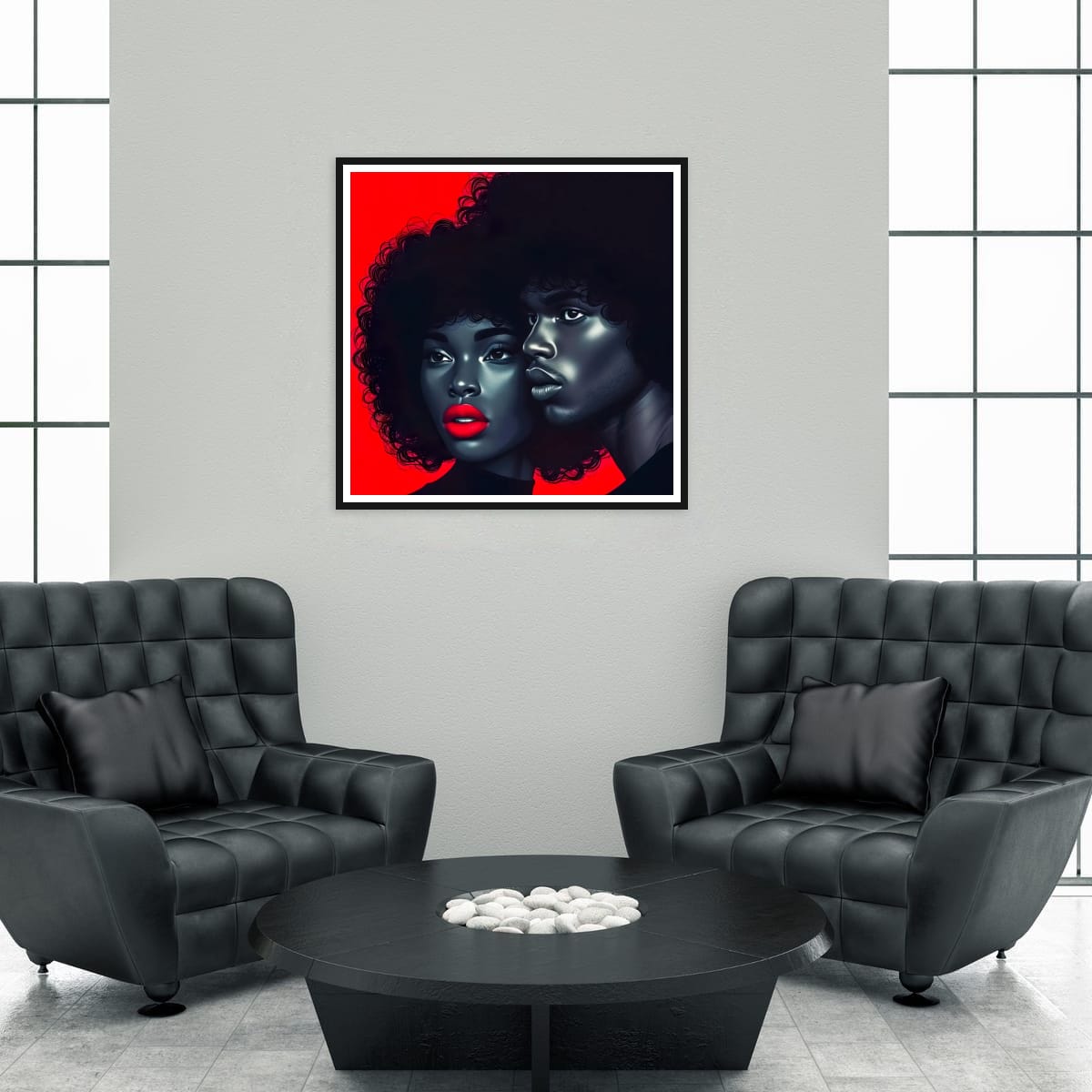
This striking artwork presents a powerful connection between two figures, their expressive features highlighted against a bold red backdrop. The contrast between the deep tones of their skin and the vibrant hues creates a dynamic visual impact. The intricate details of their hair and the glossy finish of their lips convey a sense of intimacy and affection. This piece embodies a stylish and artistic flair, making it a captivating addition to any space, inviting admiration and conversation.
Explore the essence of timeless love in the futuristic world of afrofuturism with our digital art. This piece is inspired by the stylish romance , bringing a retro feel to contemporary love.Instant digital download for immediate access.
🎨 Retro Feel: Immerse your space in the charm of a vintage-inspired atmosphere
This instant download is perfect for those seeking distinctive home or office decor. Use it as a poster, frame it, or incorporate it into your digital projects. The high-resolution image ensures crisp details and vivid colors.
Vintage Inspired Art - Afro Couple Art - Minimalist Retro Style
Included with this order a scalable high resolution (Min 300dpi) JPG images - Square Image
File for printing 10"x 10" , 12"x 12", 18"x18" , 16"x16", 28"28" , 32"x32"
Once your transaction completes, you'll get immediate download
Mix and match sizes or find the perfect size for your frame.
◼️ PLEASE NOTE
This item is a digital download. No item will be shipped. Colors may look slightly different on your computer monitor than the actual JPG. This purchase is for PERSONAL USE ONLY. ©Artwork of Own Digi Art
INSTRUCTIONS - Print for home:
Connect your computer to a printer. This can typically be done through a USB cable, or by connecting to the same network as the printer.
Open the JPEG file that you want to print. This can typically be done by double-clicking on the file, or by opening it in an image viewer or editing program.
Click on the "File" menu in the top left corner of the screen, and select "Print"
Select your printer from the list of available printers.
Adjust the print settings as desired (e.g. number of copies, print quality, paper size).
Click on the "Print" button to start the printing process.